< Research
April 8, 2026


Since language models entered our lives, the topic of Agents has been consistently on the agenda. When we examine current examples, we see that most of them revolve around classic scenarios like travel planning or web searching. In this article, I'll explore how to develop an Agent that goes beyond these common examples by using the CodeAct Agent architecture to drive a vehicle in the Gymnasium Taxi-v3 environment.
Before diving into our Agent design, let's briefly discuss what the CodeAct Agent architecture is. In this architecture, the Agent generates a thought followed by an action when producing a response. This generated action is directly called and executed since it's a predefined Python function, resulting in an observation. Below you can see an example of this flow:
{
  "thought": "I need to take the action to drive the vehicle in direction 1",
  "code": "drive(1)"
}
This observation is then combined with the current thought and action to provide feedback to the Agent, and the agent is expected to generate a new result.
Task: Taxi at (4, 0). Passenger at Yellow. Destination: Blue.
{
  "thought": "I need to take the action to drive the vehicle in direction 1",
  "code": "drive(1)"
}
Observation:
Taxi at (4, 0). Passenger at in_taxi.
Destination: Blue.
reward=-1
terminated=True
truncated=False
As seen above, the Agent creates a new prompt with the observation obtained as a result of the action. Now that it's aware of both the action it took and the result of that action, it can decide on the next step:
{
  "thought": "The passenger has been dropped off at the desired location.",
  "code": "final_answer('Passenger successfully dropped off at Blue location')"
}
The Agent can collect more observations using the tools at its disposal or end the loop with a tool like final_answer when it has gathered sufficient information. Choosing this structure provides us with two fundamental advantages:

Many advantages and disadvantages of this structure can be listed; however, the CodeAct structure fundamentally works this way. Since this isn't the main topic of our article, I can address it in detail in another piece.
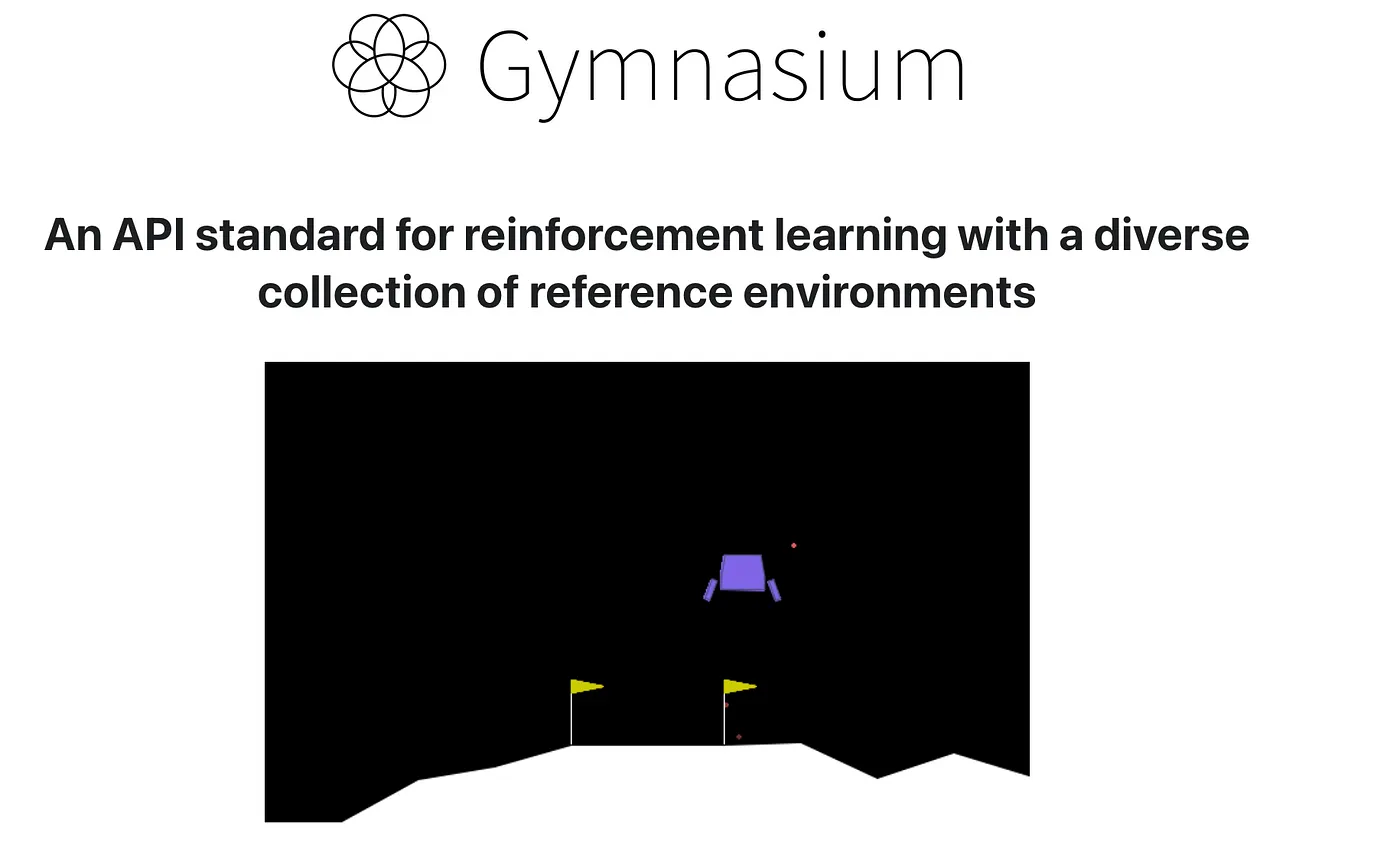
Gymnasium is a Python library that typically provides the necessary environments for training Reinforcement Learning models. Within this library, there are various environments of different types and difficulty levels. You can think of these environments like games—they're environments with discrete or continuous action sets. For this project, we'll use the taxi-v3 environment found in this library.
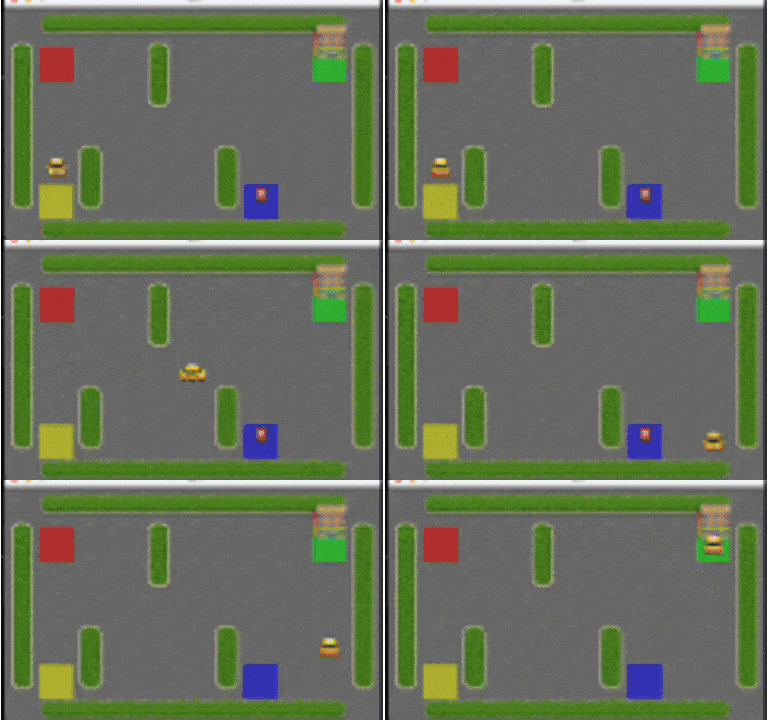
Now let's explore what the Taxi environment is, its action set, and how we can design an Agent using this environment.Our basic goal in this environment is to pick up the passenger from one of four designated points (Red, Yellow, Green, and Blue) and drop them off at their desired location. When the passenger successfully reaches the target point, one episode is completed.The main purpose of this library is to train Reinforcement Learning models. Therefore, each environment has a reward mechanism, and the main goal of training is to train the model to maximize total reward. Even though we won't be training a model, we'll provide this reward information to the Agent so it can correct itself.
Now let's explore what actions the Agent can take in this environment. First, the Agent's action set is discrete and consists of a total of 6 actions. These actions are listed below:
Now that we've learned the actions, let's look at how the Agent sees the world—the observation set. In this environment, there can be a total of 500 different discrete states. This number isn't random; it consists of the combination of 25 different taxi positions, 5 possible passenger locations (including inside the taxi), and 4 different destination points.
25 × 5 × 4 = 500Although mathematically there are 500 states, actually only 404 states can be reached during an episode. The reason for this is that situations where the passenger is already at the destination point end the episode. With the 4 additional states where both the passenger and taxi are at the destination point immediately after a successful task, we end up with a total of 404 reachable states.
I actually gave hints about Agent design at the beginning of the article when explaining the CodeAct structure. Now we'll develop our Agent using this structure. The most fundamental reason I prefer this architecture is that the Agent can execute the task given to it in a cyclical manner, proceeding with "thought & action" pairs. This way, the Agent can remain task-focused enough to only terminate the process when the passenger is dropped off or when the determined maximum iteration is reached.
Additionally, we'll define the movements the Agent will perform in the environment—such as up, down, right, and left—through a function (that will receive direction information as an argument). This approach provides us with another advantage: while in normal "tool call" structures the Agent can only make a single tool call at each step, thanks to this structure, it can analyze its current state and advance in a single iteration (for example, by giving the down command 4 times at once). This will both increase execution speed and significantly reduce our costs in terms of token usage.
Now let's start implementing this architecture step by step through code.
Now that we've gotten to know our environment in detail, we can start examining the Agent design with its code.
import gymnasium as gym

env = gym.make("Taxi-v3", render_mode="human")
First, we import gymnasium and then create our Taxi-v3 environment with the gym.make function. Thanks to the render_mode="human" parameter we use here, we'll be able to instantly track the moves our Agent makes and the taxi's movements on the map in a visual window.
# Decode discrete state: obs = ((taxi_row*5 + taxi_col)*5 + passenger_location)*4 + destination
LOCS = ["Red", "Green", "Yellow", "Blue"]

def decode_obs(obs: int) -> dict:
    dest = obs % 4
    obs //= 4
    pass_loc = obs % 5
    obs //= 5
    taxi_col = obs % 5
    taxi_row = obs // 5
    return {
        "taxi_row": taxi_row,
        "taxi_col": taxi_col,
        "passenger_location": "in_taxi" if pass_loc == 4 else LOCS[pass_loc],
        "destination": LOCS[dest],
    }

def format_initial_state(obs: int) -> str:
    s = decode_obs(obs)
    return (
        f"Taxi at ({s['taxi_row']}, {s['taxi_col']}). "
        f"Passenger at {s['passenger_location']}. Destination: {s['destination']}."
    )
First, I should mention that after each action, the environment doesn't send us a clear message like "Taxi is at row 2, column 3, passenger is at Red." To save memory, it packages everything into a single number.
For example, you get a number like 135 from the environment. This number is actually like an "encrypted package." Inside it, information about the taxi's location, where the passenger is, and where they want to go are all layered on top of each other. If we don't decode this number, the Agent just looks at a number and understands nothing.
The code above serves as a "translator" that decodes this cipher.
Thanks to the code block above, a numerical expression like 135 transforms into something the Agent can understand and interpret to take action: "Taxi at position (1,2), passenger waiting at Red point, wants to go to Blue point." (For those interested, a brief AI conversation will suffice for mathematical details—I won't go into it to keep things concise.)
In the previous section, we covered operations like creating the environment and decoding the values the environment returns to us. Now we can move on to Agent coding. Instead of coding the logic from scratch when creating the Agent, we'll use the smolagents framework created by Hugging Face. I think this framework has the best implementation of ReAct and CodeAct structures. The only drawback is that it doesn't fully meet certain needs for production use—but that's not the topic of this article for now.
from smolagents import tool

@tool
def drive(action: int) -> str:
    """Drive the taxi. Returns state, reward, terminated, truncated.
    Args:
        action: One of 0=South, 1=North, 2=East, 3=West, 4=Pickup, 5=Dropoff.
    """
    obs, reward, terminated, truncated, info = env.step(action)
    env.render()
    state_str = format_initial_state(obs)
    return f"{state_str} reward={reward} terminated={terminated} truncated={truncated}"

tools = [drive]
With the code block above, we define the drive tool that will provide our Agent's driving ability. Thanks to this tool, the Agent will be able to take an action; and as a result of this action, it will be able to observe the final state from the environment, the reward, and information about whether the passenger has been dropped off.
from smolagents import CodeAgent, OpenAIServerModel

prompt = """
# Taxi driver agent
You control a taxi in a 5×5 grid. Your goal is to **pick up the passenger and drop them off at their destination**.

## What you receive
Here is the environment:
    +---------+
    |R: | : :G|
    | : | : : |
    | : : : : |
    | | : | : |
    |Y| : |B: |
    +---------+

In the environment | are the walls you cannot hit. You can only use the roads which is : and R,G,Y,B are the pick up and drop off locations.

- **Initial state** (in the task): taxi position (row, col), passenger location (Red, Green, Yellow, or Blue), and destination (Red, Green, Yellow, or Blue).
- **Actions**: use the `drive` tool with one action per step:
  - **0** = South (down)
  - **1** = North (up)
  - **2** = East (right)
  - **3** = West (left)
  - **4** = Pickup (only when taxi is on the passenger's cell)
  - **5** = Dropoff (only when passenger is in taxi and taxi is on the destination cell)

## Map (color → coordinates)
- **Red** = (0, 0)
- **Green** = (0, 4)
- **Yellow** = (4, 0)
- **Blue** = (4, 3)

Grid is 5×5: rows 0–4, cols 0–4. North = row decreases, South = row increases, East = col increases, West = col decreases.

## How to act
1. From the initial state in the task, plan a path: go to the passenger, then call **Pickup (4)**, then go to the destination and call **Dropoff (5)**.
2. Call `drive(action)` once per step with an action in 0–5. After each call you get: new state, reward, terminated, truncated.
3. Keep driving until either **terminated** or **truncated** is true.
4. When **terminated** or **truncated** is true, give your **final answer**: say whether you succeeded (passenger dropped at destination), report the total reward if you can, and stop.
5. In each step take only one action, observe the new state and take another action based on the new state—do not randomly loop over states.

Do not call drive after the episode has ended (terminated or truncated true).
"""
With this code block, we define the task our Agent will perform and our purpose. This is the place where we teach it what to do with the "system instruction" prompt, give information about the environment it's in, and explain when to stop working.
model = OpenAIServerModel(
    model_id="google/gemini-2.5-flash",
    api_base="https://openrouter.ai/api/v1",
    api_key="*******"
)
With this code block, we define the model we'll use. I chose the Gemini 2.5 Flash model via OpenRouter because it's a very efficient model in terms of both speed and cost. You can also experiment with different models and observe what changes occur in the Agent's success and behavior.
We've defined all the components needed for our Agent: Prompt, Tool, and Model. Now it's time to create our Agent that will bring all these pieces together.
agent = CodeAgent(
    model=model,
    tools=tools,
    name="TaxiDriverAgent",
    instructions=prompt,
    max_steps=20,
    return_full_result=False
)
With the code above, we initialized the CodeAgent object that will implement the CodeAct Agent logic; we completed the model, tool, and instructions definitions. Additionally, with the max_steps parameter, we determined the maximum number of steps the Agent can take on its own while trying to reach the goal. (When the max_step value is reached, the Agent's operation terminates.)
Now all we need to do is call our Agent to duty.
obs, info = env.reset()
initial_state_str = format_initial_state(obs)
task = (
    f"{initial_state_str} "
    f"Pick up the passenger and drop them at the destination"
)
result = agent.run(task)
With the code above, we first reset the environment so that the taxi and passenger start at random positions. Then, with this initial state, we instruct the Agent to pick up the passenger and drop them at the correct point, thus officially putting our Agent on duty.
When our Agent runs, a window like the one below opens, visualizing the environment. In this window, we can observe the taxi's movements—that is, the actions taken by the Agent—in real-time. In the image below, you can see an example execution of the Agent; it can successfully pick up the passenger and drop them off at the target point, completing the task. The only problematic point is that it doesn't seem to fully understand the walls; it can bump into walls while going to pick up or drop off the passenger (we can call this a driving experience we're quite familiar with :D). Also, it doesn't act to maximize reward and can unnecessarily lengthen the route.
In conclusion, in this article, we first briefly understood what the CodeAct Agent architecture is and how it works. Then we implemented this theoretical structure with the Taxi example. With this example, we demonstrated how we can take a language model out of its text generation mold and put it in the role of an environment's "brain and executor," and how we can benefit from language models in this way. I believe that in the coming days, as robots become smarter and better able to make sense of their actions, we'll see much more of these kinds of structures.

Orbislabs AI 2026. All Rights Reserved.


